
✂️ Services & Adjustments
The Services section is the core of your offer in Woofix. This is where you configure what your clients can book. This tutorial explains how to create, edit, and properly configure your services so they appear correctly in the application.
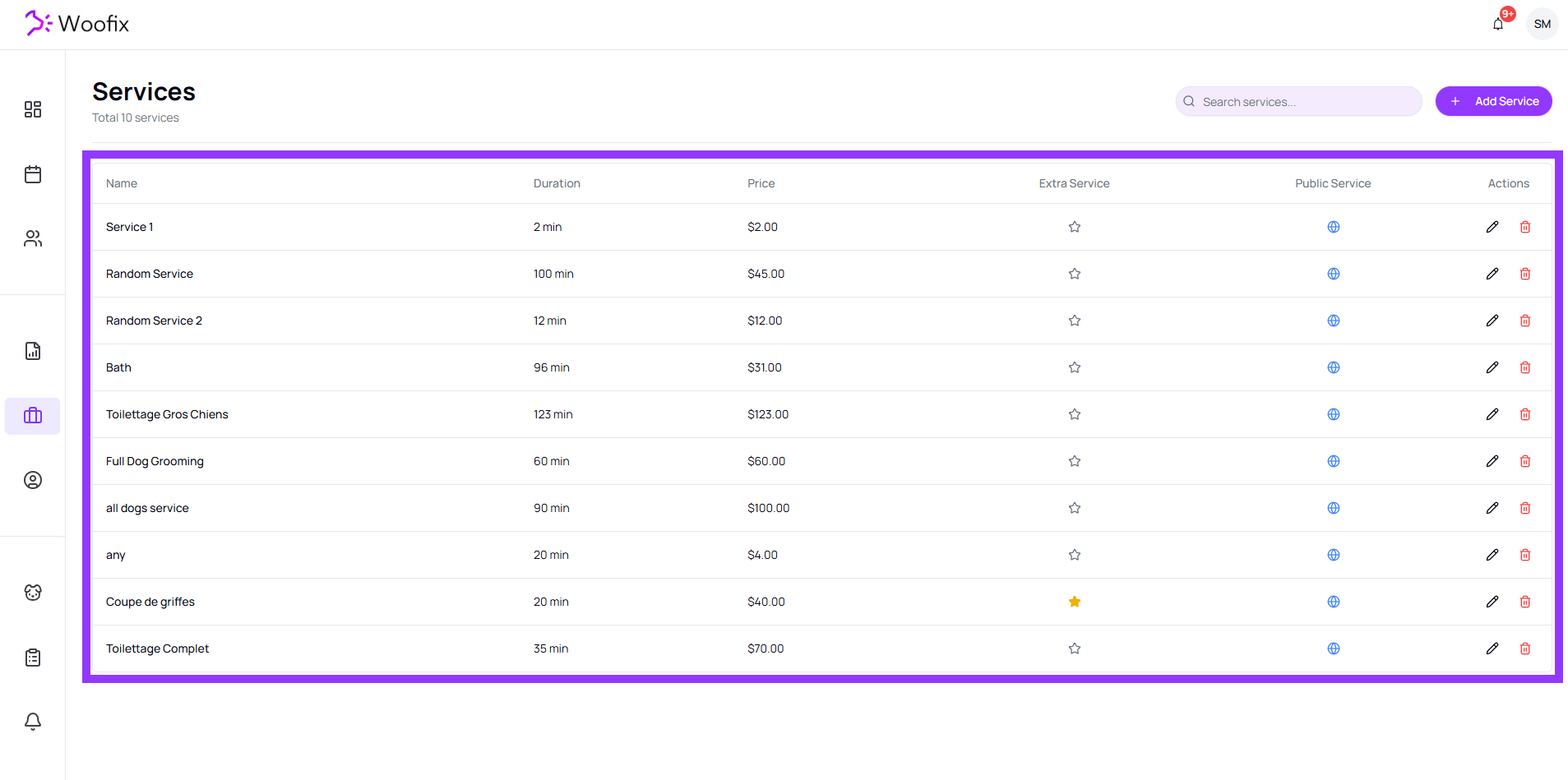
1. 📋 Services List
When you open the Services tab, you land on the complete list of your current services.
From this page, you can:
- Add a new service (Add button)
- Edit an existing service (by clicking on it)
- Delete an outdated service
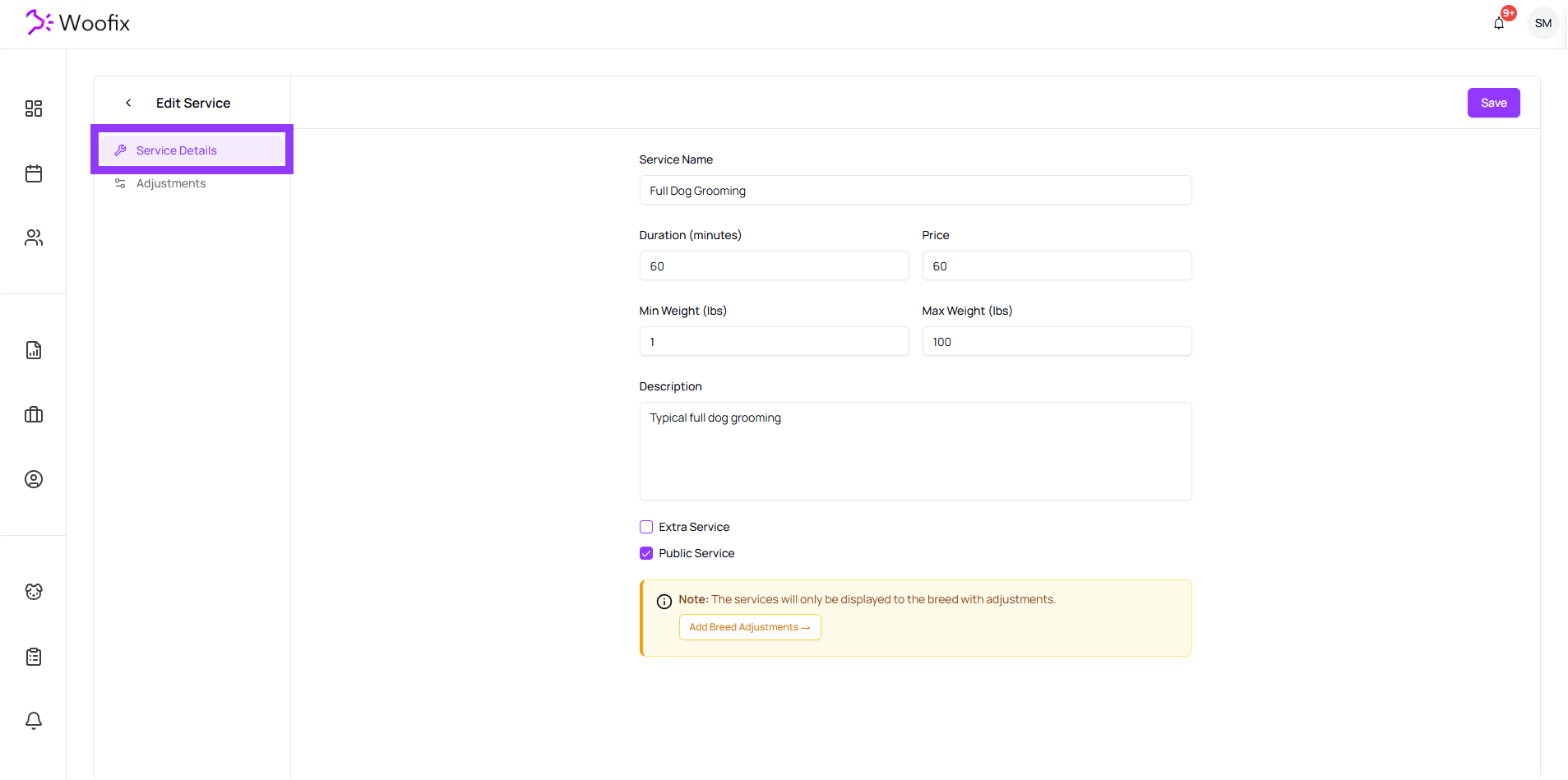
2. ✏️ Creating & Editing a Service
When you click on a service or on “Add”, you are taken to the Edit Service page.
Here are the basic fields to fill out:
- Name: The title of the service as it appears to clients and to you.
- Duration (minutes): The base duration of the service.
- Price: The base price.
- Min Weight (lbs) & Max Weight (lbs): The accepted weight range for this service.
- Description: Details of the service.
- Extra (Yes/No): Check this if the service is an add-on/extra.
- Public (Yes/No): If disabled, the service will not be visible to clients but will remain available internally.
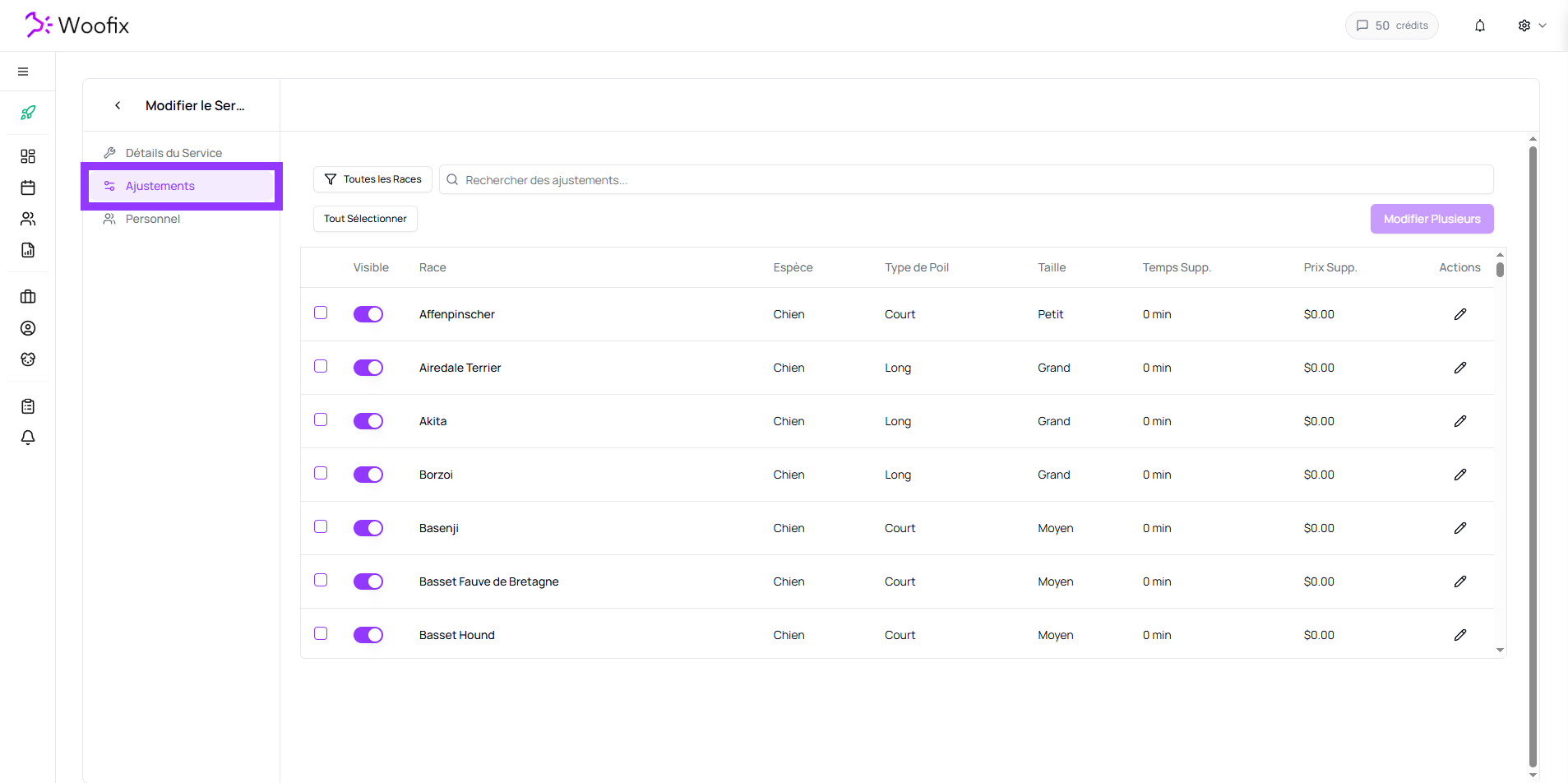
3. ⚙️ Service Adjustments
Adjustments allow you to precisely customize the price, duration, and accessibility of the service for each breed.
3.1. Adjustment Parameters
For each breed in the list, you can configure the following:
- Visibility: Enables or disables the service for this specific breed.
- Breed: Indicates the breed affected by the adjustment.
- Extra Time (min): Time to be added to the service's base duration for this breed.
- Extra Price: Amount to be added to the service's base price for this breed.
3.2. List Management and Modification
The complete list of breeds allows you to manage your catalog efficiently using search and quick-edit tools:
- Precise Filtering: Use filters (Species, Size, and Coat Type) to quickly isolate the breeds you want to adjust.
- Multi-selection: You can check multiple breeds at once to apply grouped changes.
- Bulk Edit: Once multiple breeds are selected, you can modify their visibility, price, or extra time in a single action, making it easy to update your rates globally.
✔️ Summary
To make a service work properly in Woofix:
- Fill out the Basic Information (Name, Duration, Price, Weight, etc.).
- Set up the service adjustments.
- Make sure to select the staff members who can perform the service.