
🐾 Clients & Pets
The Clients section is your central database. It brings together not only your clients' contact information but also detailed pet profiles and visit histories. This tutorial explains how to effectively manage your client and pet records.
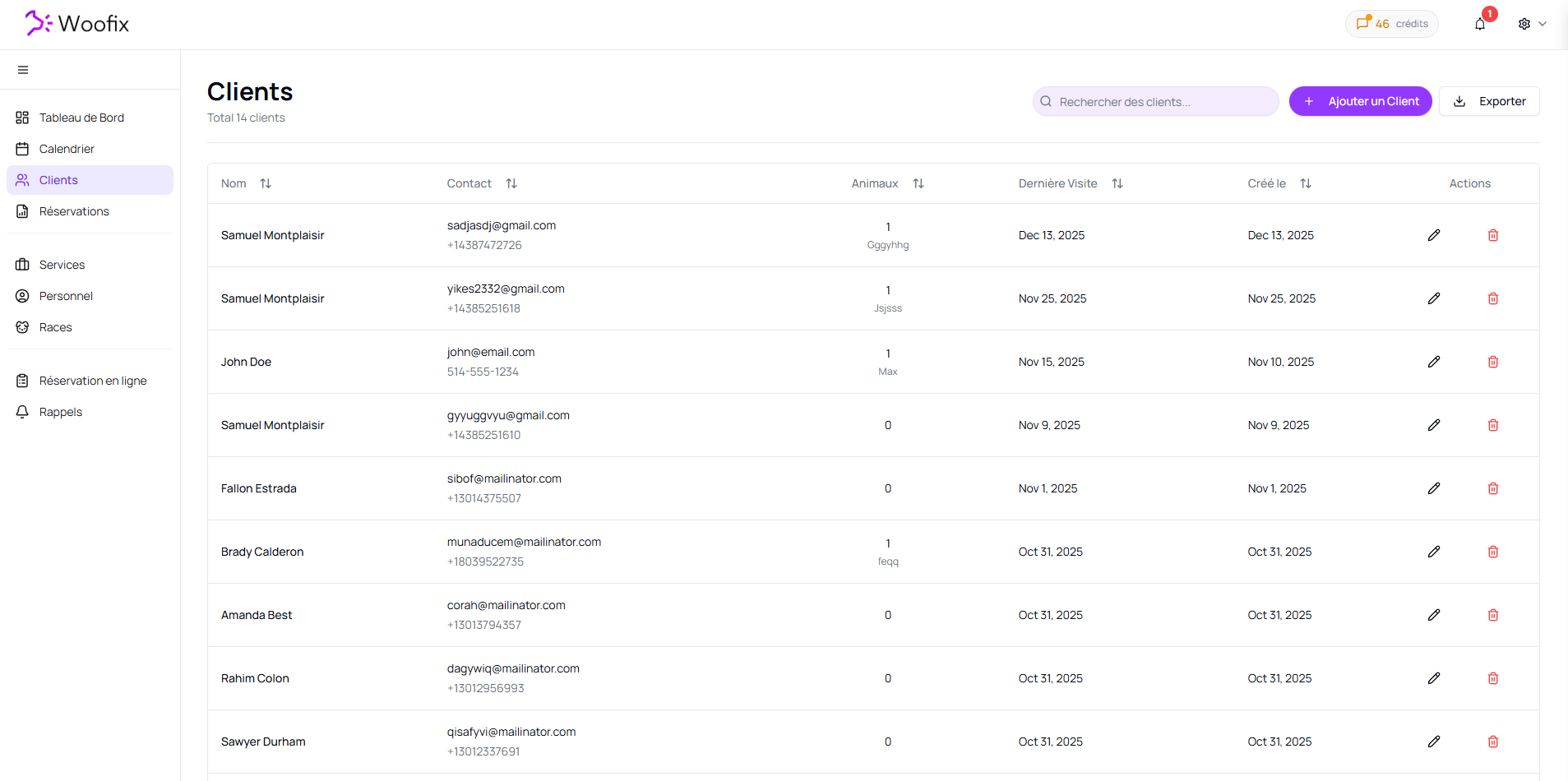
1. 📋 Client List
By accessing the Clients tab, you can view your entire customer base. From this page, you can:
- Add a new client (Add button).
- Edit an existing profile (By clicking on the client in the list).
- Delete a client from your list.
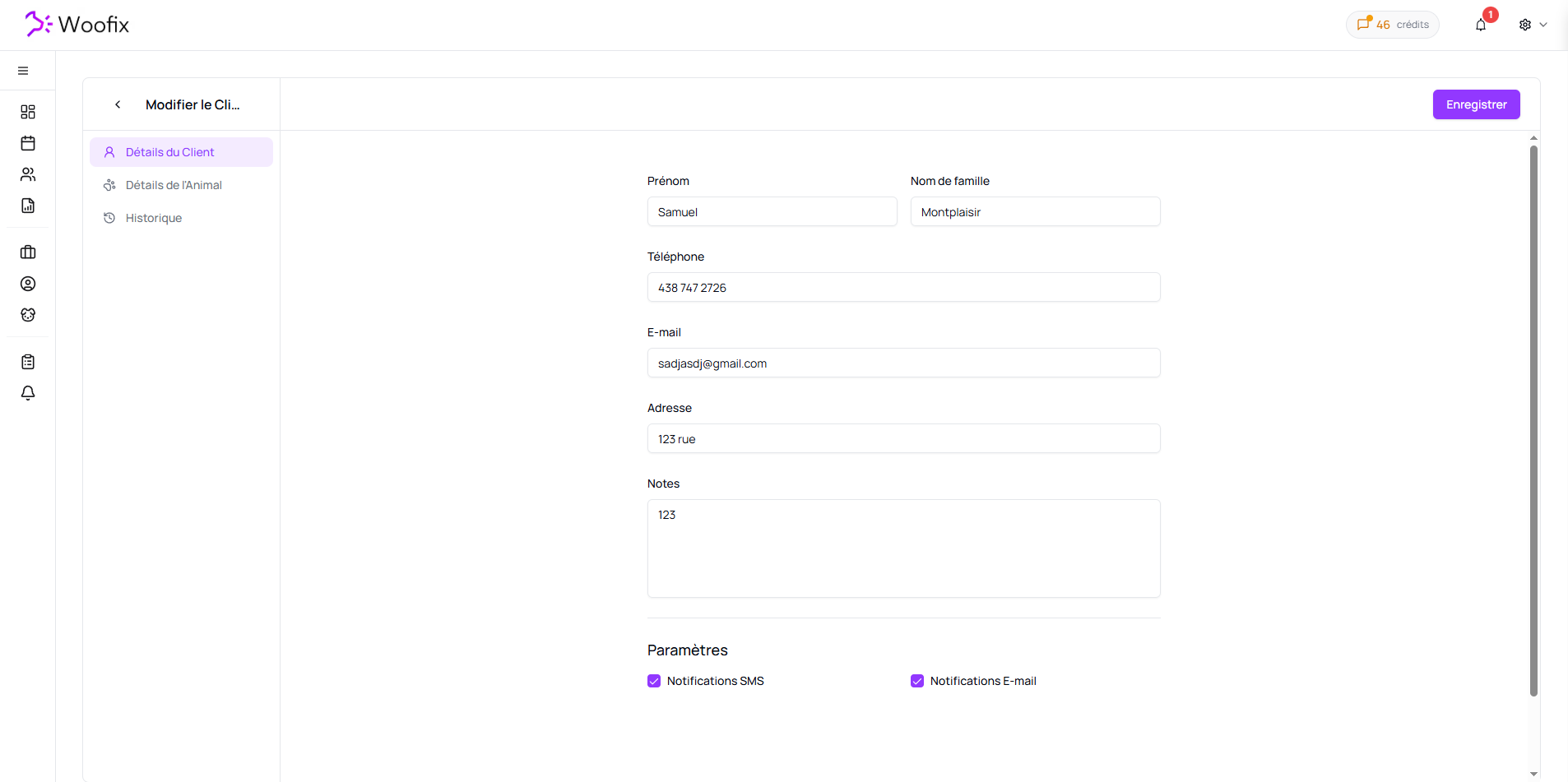
2. ✏️ Creating and Editing a Client
When you click on a client or select "Add," you access the Edit Client page. Here is the basic information you can fill in:
- First Name
- Last Name
- Phone
- Address
- Notes
- Two checkboxes (SMS and Email) to enable or disable automated notifications.
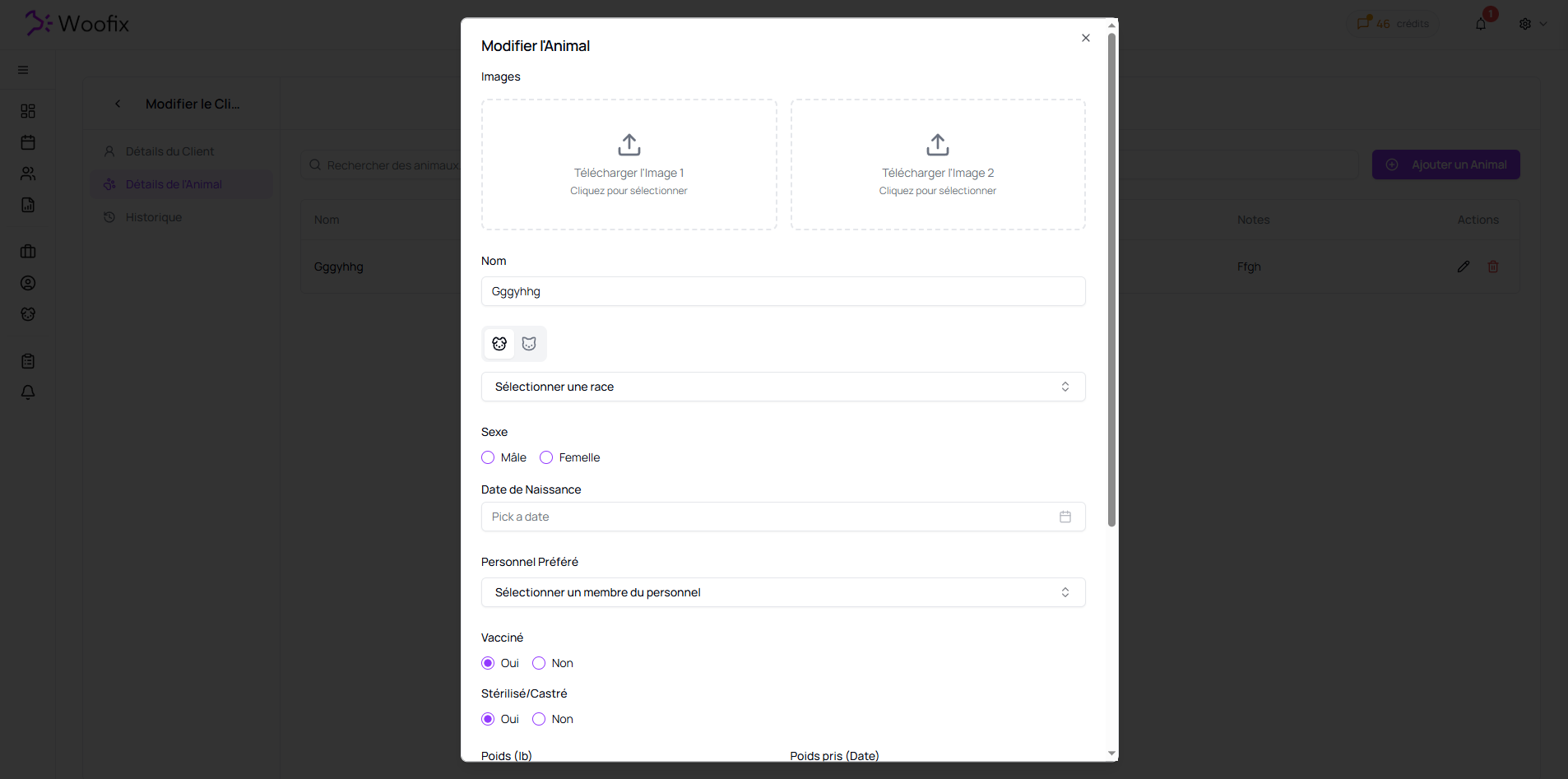
3. 🐾 Pet Details
Once inside a client’s profile, the Pet Details tab allows you to manage the animals linked to them. You can add multiple pets, edit them, or delete them.
Each pet has a complete technical file to ensure personalized service:
- Photos: Option to add 2 images (to identify the pet or show a before/after).
- Identification: Name, Species, Breed, Gender, and Date of Birth.
- Preferences: Preferred Staff (to always assign the same groomer/provider).
- Vaccinated: Radio buttons (Yes/No).
- Neutered/Spayed: Radio buttons (Yes/No).
- Weight Tracking: Current weight and the date of weighing.
- Extra Time: Time to be systematically added for this specific pet.
- Extra Fee: Fixed fees to be added to the service for this pet.
- Notes: Specific instructions regarding behavior or special characteristics.
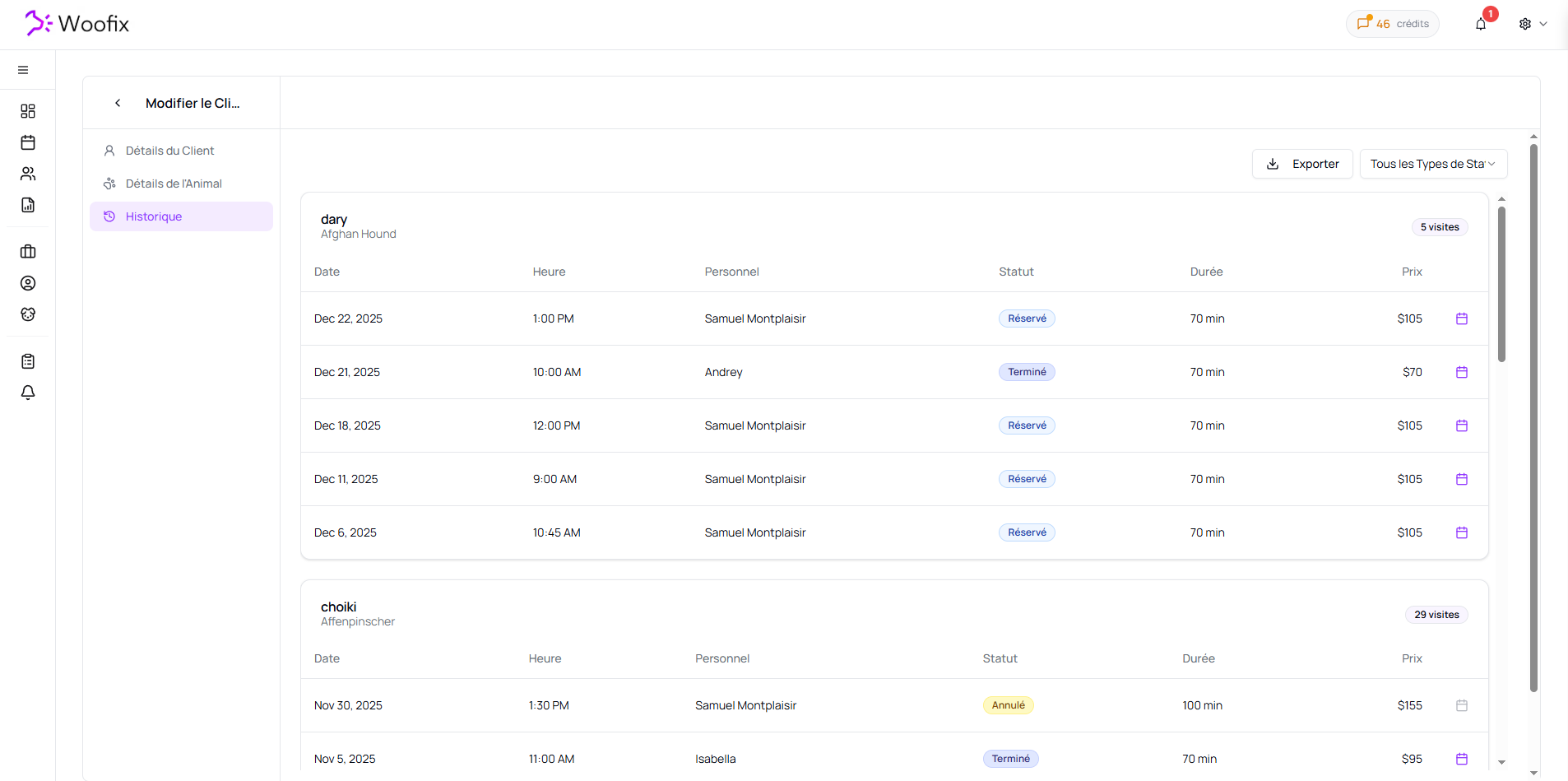
4. 📅 Appointment History
The third tab, History, is a valuable tool for long-term tracking. It displays a chronological list of all past appointments, categorized by pet. This allows you to quickly view:
- Past visit dates.
- Services performed.
- The evolution of the pet's needs over time.
✔️ Summary
To effectively manage your clients & pets in Woofix:
- Create the Client profile with their information.
- Add the Pets by filling out their profiles.
- Consult the History to track the progress of each pet’s appointments.