
📢 Campaigns
The Campaigns section is your powerful marketing tool for reaching your clients en masse. Whether you want to announce a promotion, an exceptional closure, or last-minute availability, you can precisely target your recipients in just a few clicks.
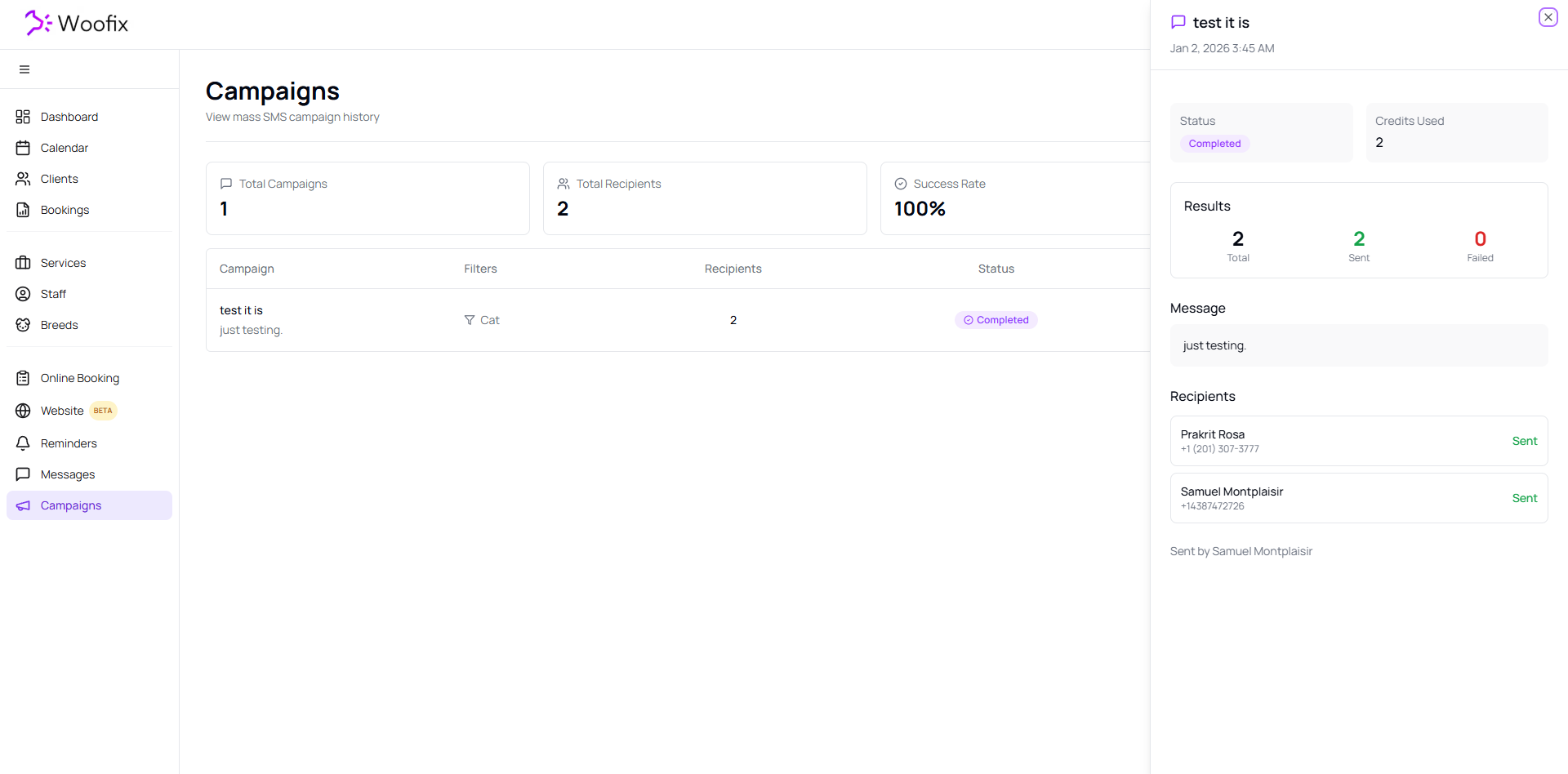
1. 📊 Analytics and Statistics
Upon opening this section, you access a performance dashboard:
- Global Overview: View your overall statistics such as total campaigns, number of recipients, success rate, and credits used.
- Campaign Details: Click on a specific campaign to view its details:
- Status (Sent, in progress, etc.)
- Credits consumed
- Results and message content
- List of recipients
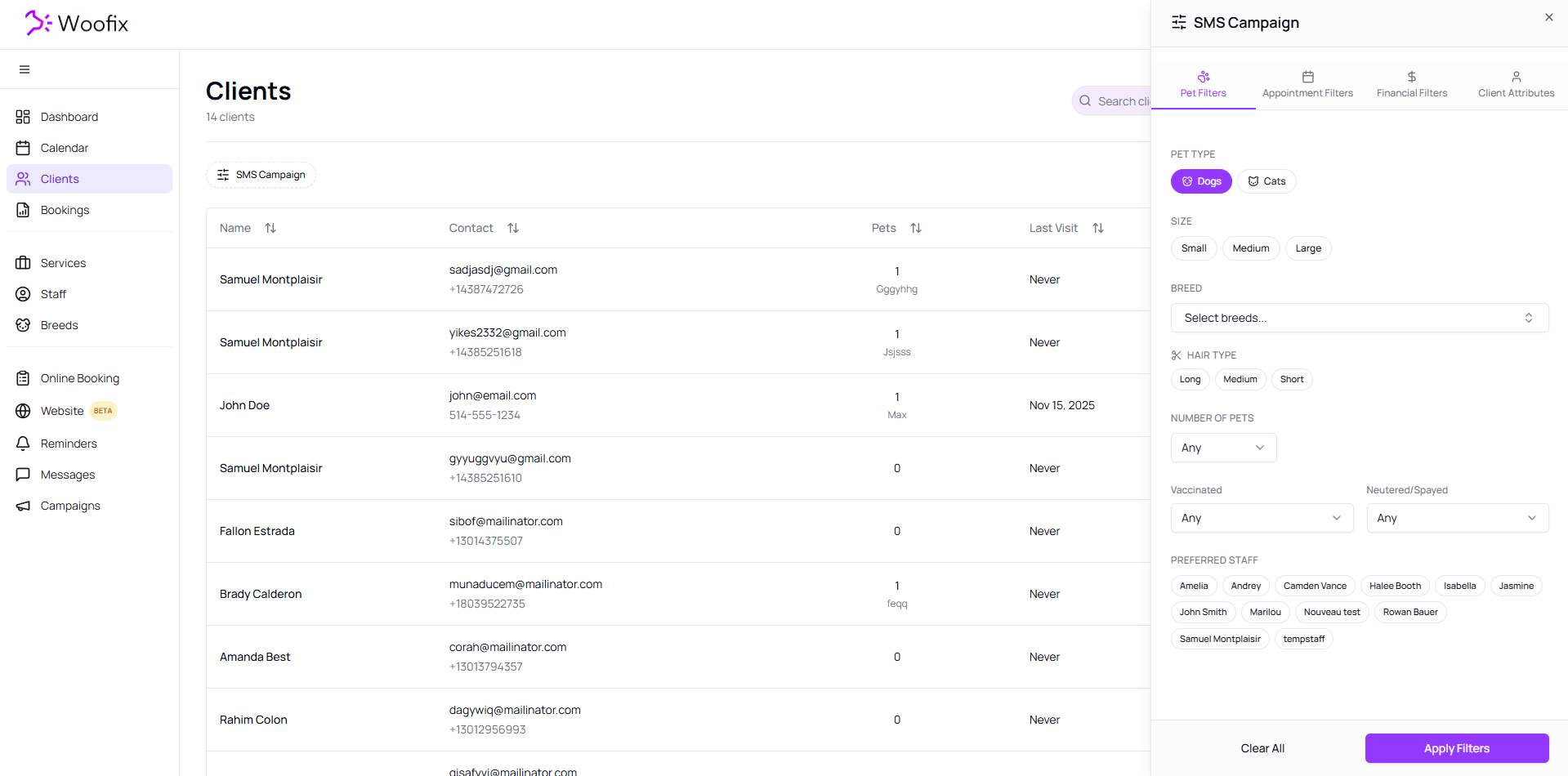
2. 🚀 Creating a New Campaign
The creation process is simplified to help you target the right clients quickly.
Step 1: Client Selection
- Click "Start Campaign". You will be automatically redirected to the Clients section with the campaign filter open.
- Use the filters to choose the specific client segment you wish to target.
Step 2: Message Configuration
- Recipients: The system displays the number of eligible clients based on your filters.
- Drafting: Give your campaign a name (for internal management) and write your SMS message.
Step 3: Credit Validation & Sending
- Woofix automatically calculates and displays the number of credits that will be used based on the number of segments (message length) and the number of recipients.
- Once ready, confirm the sending to broadcast your message to all selected clients.
✔️ Summary for Successful Campaigns
- Target your clients precisely using filters to avoid wasting credits.
- Check the number of segments while drafting: a message that is too long can consume multiple credits per client.
- Name your campaigns clearly (e.g., "Christmas Promo 2025") to better analyze your results later.