
📅 Calendar
The Calendar is the operational heart of your salon. This is where you manage your team's daily appointment flow and organize your workdays in real-time.
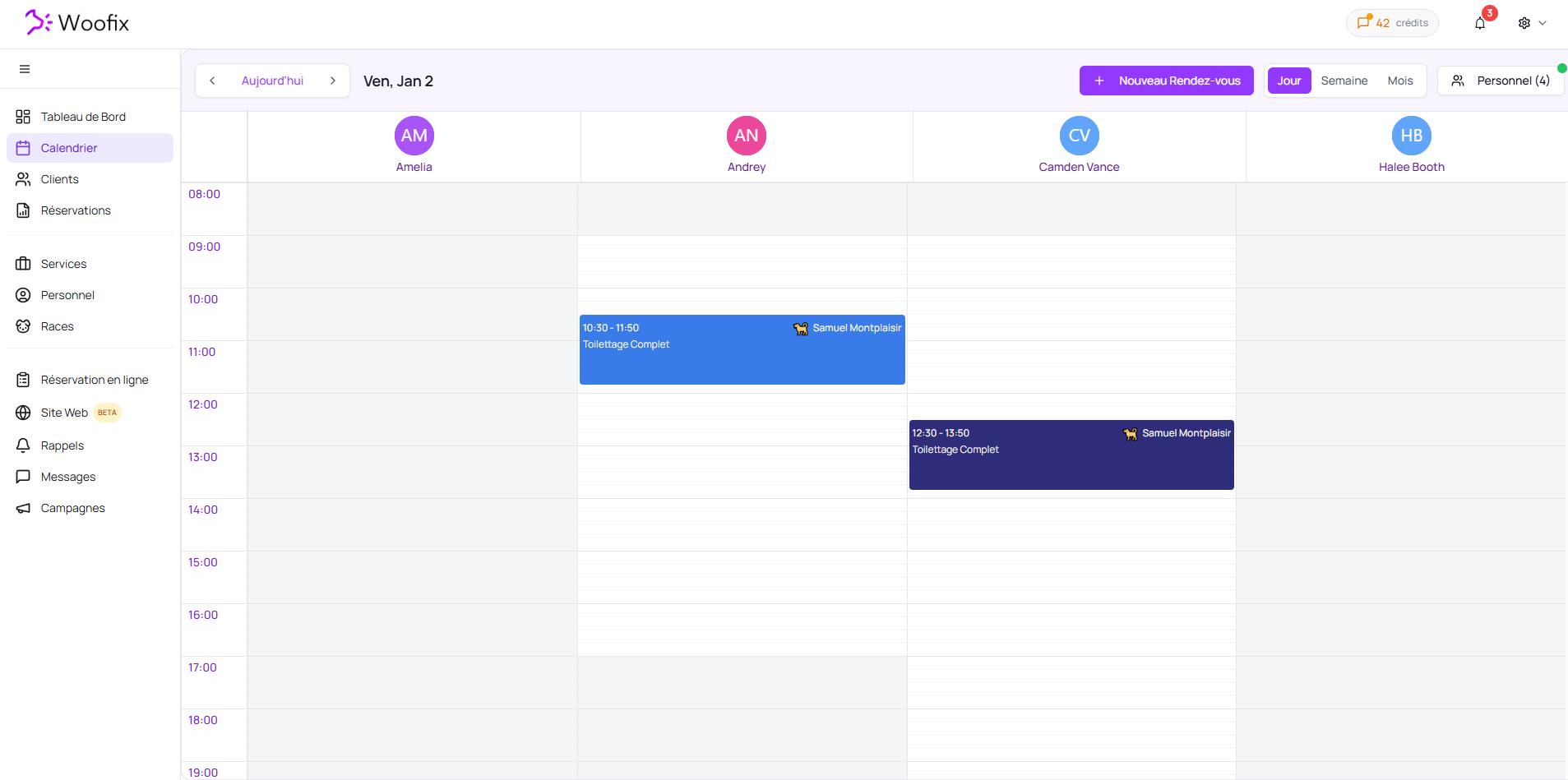
1. 👁️ Display Modes and Selection
For a personalized view, the calendar offers great flexibility:
- Employee Selection: You can display multiple team members simultaneously to compare their daily schedules.
- Available Views: Toggle between Day, Week, or Month views depending on your needs.
- Optimization: When only one employee is selected, the Week view becomes more detailed to facilitate precise planning for that specific staff member.
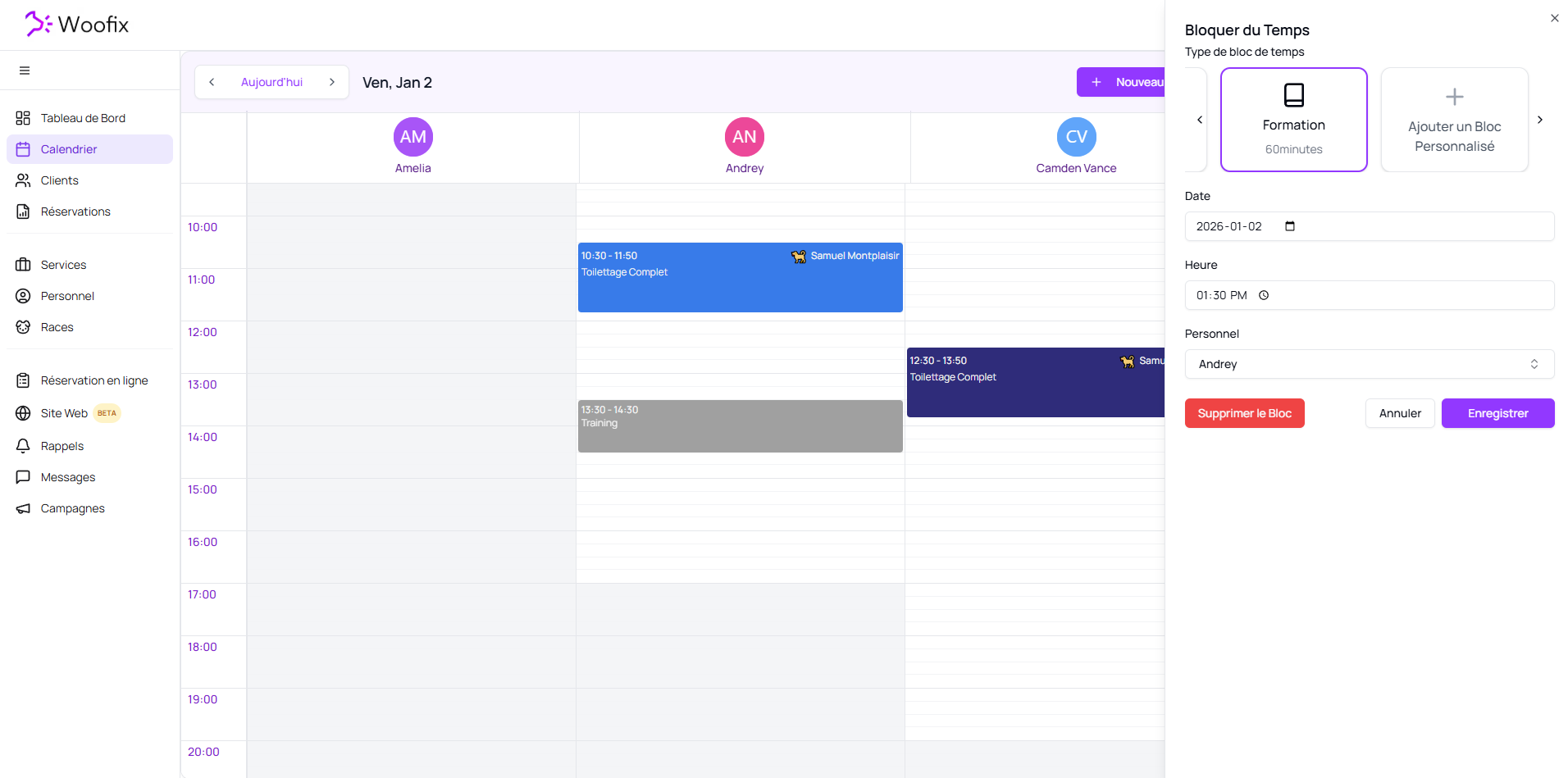
2. 🕒 Availability and Time Blocks
The calendar automatically reflects the configurations made in the Personnel section.
- White Zones: These areas indicate working hours based on your employees' shifts.
- Vacations: Approved time off appears directly on the grid, preventing you from booking appointments by mistake.
- Time Blockers: Use this function for unexpected events or one-time gaps.
💡 Pro Tip: For lunch breaks or recurring breaks, it is better to create two distinct shifts (morning/afternoon) in the employee's schedule rather than using blockers. This makes management much smoother.
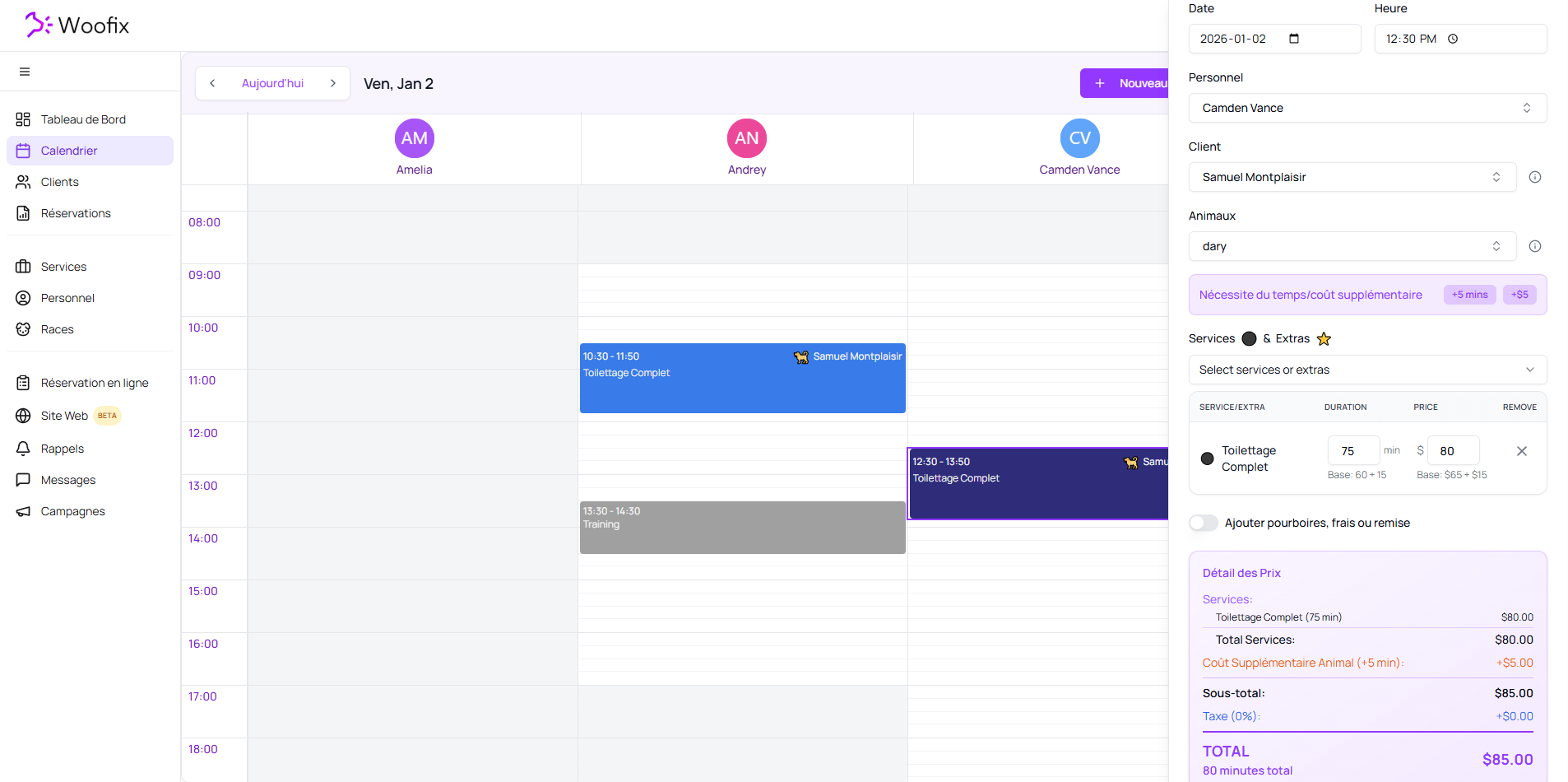
3. 📅 Appointment Management
The Woofix calendar is interactive and allows for quick modifications via "drag and drop."
Creation and Modification
You can add an appointment directly into an open time slot. When creating or modifying, you manage:
- Technical Details: Date, Time, Assigned Employee.
- Client Details: Selection of the Client and the Pet.
- Services: Selection of Services & Extras.
- Billing: Addition of tips, extra fees, or discounts.
Automatic Calculation: Total cost and time duration are calculated automatically by the Woofix algorithm based on the chosen service, breed, weight, and the specific pet’s profile.
Flexibility
You can modify and move appointments from one hour to another, or even from one employee to another directly within the day view.
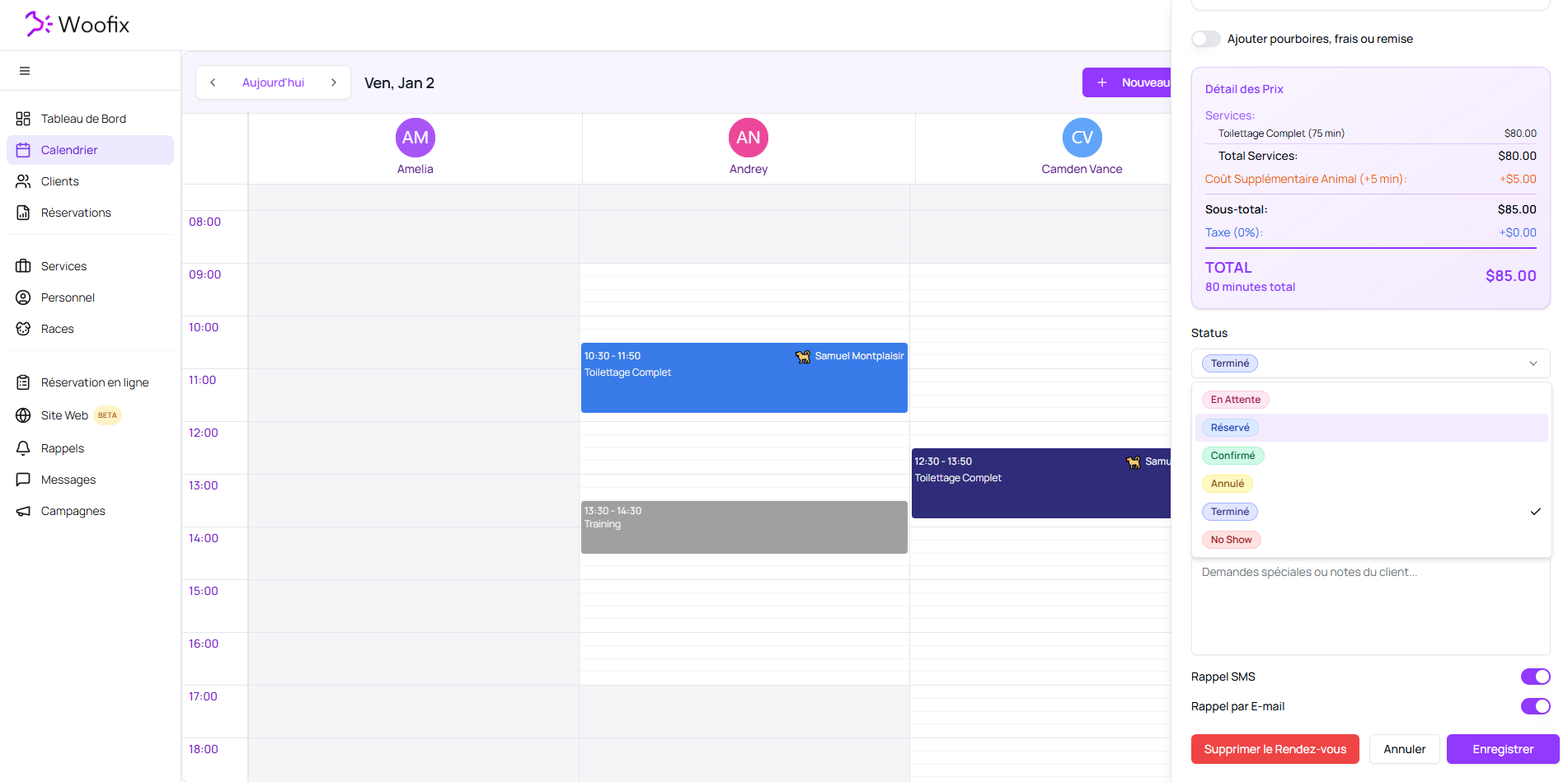
4. 🏷️ Status and Communications
Tracking the status of an appointment is crucial for the smooth running of the salon.
- Status: You must update the status for each stage (Pending, Booked, Confirmed, Canceled, Completed, No-show).
- Salon Notes: For your internal notes and the team. These are never visible to the client.
- Client Notes: Contains information entered by the client during online booking or notes you took over the phone. These are also never visible to the client.
- Reminders: You have the option to manually disable automatic SMS and email reminders for a specific appointment if necessary.
Note: The concept of "Status" is fundamental in Woofix. For more details, see the tutorial dedicated to the Appointments page.
✔️ Summary for Efficient Management
- Check your views to get a clear vision of the team's workload.
- Prioritize split shifts for regular breaks to keep the calendar clean.
- Keep status up to date to ensure professional client follow-up.
- Use notes to centralize information without worrying about the client seeing them.