
⏰ Appointments
The Appointments section allows you to view your complete history, filter your data, and manage online booking requests to ensure the smooth operation of your salon.
1. 📋 Appointments List
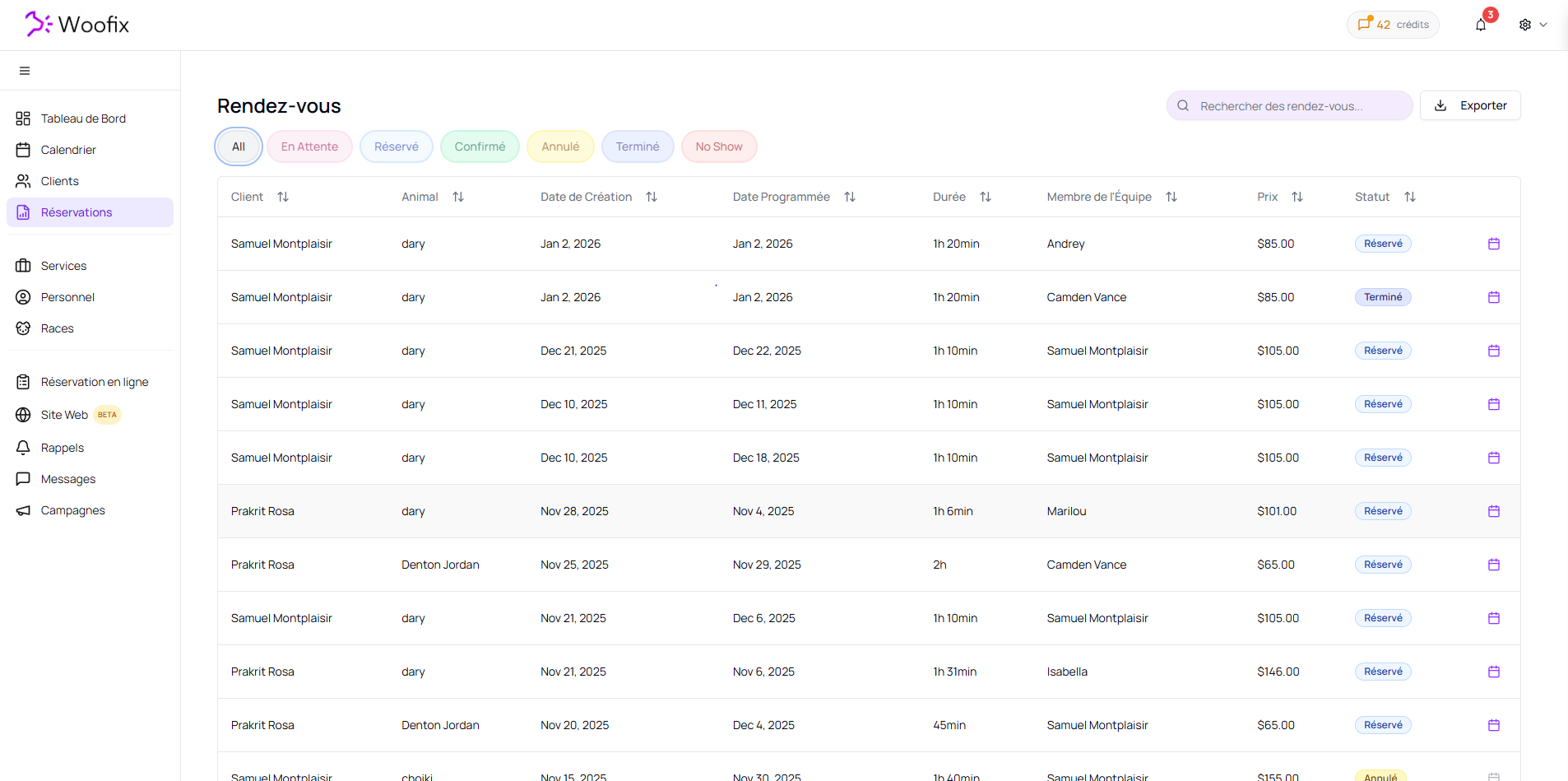
This page displays the full list of every appointment recorded in Woofix.
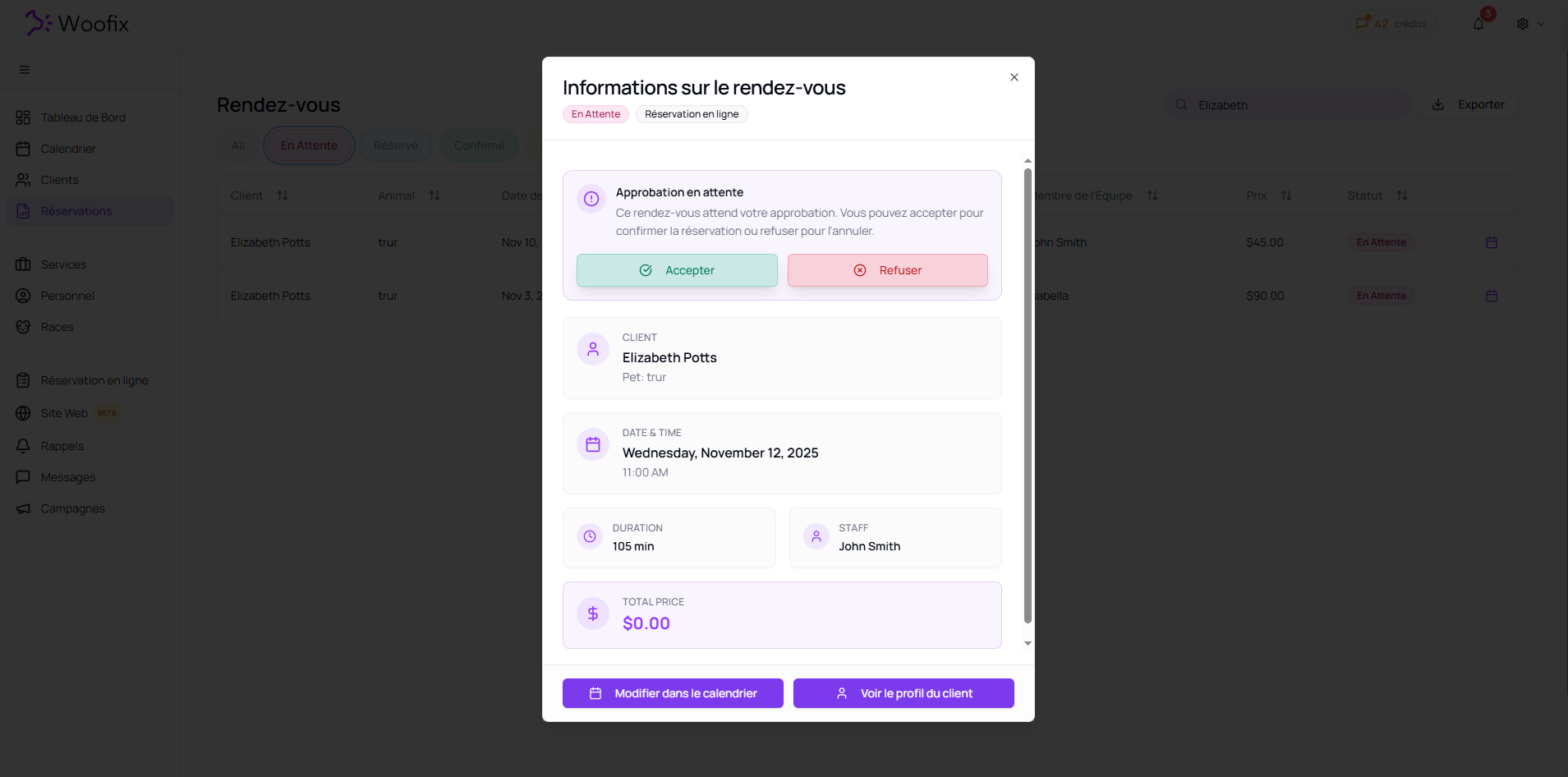
- Quick Summary: Click on any appointment to open a window containing the essential information.
- Direct Actions: From this summary, you can:
- Edit in Calendar: To visually adjust the schedule or the assigned employee.
- Client Profile: Access the full profile of the client and their pet directly.
2. 🔍 Search and Filters
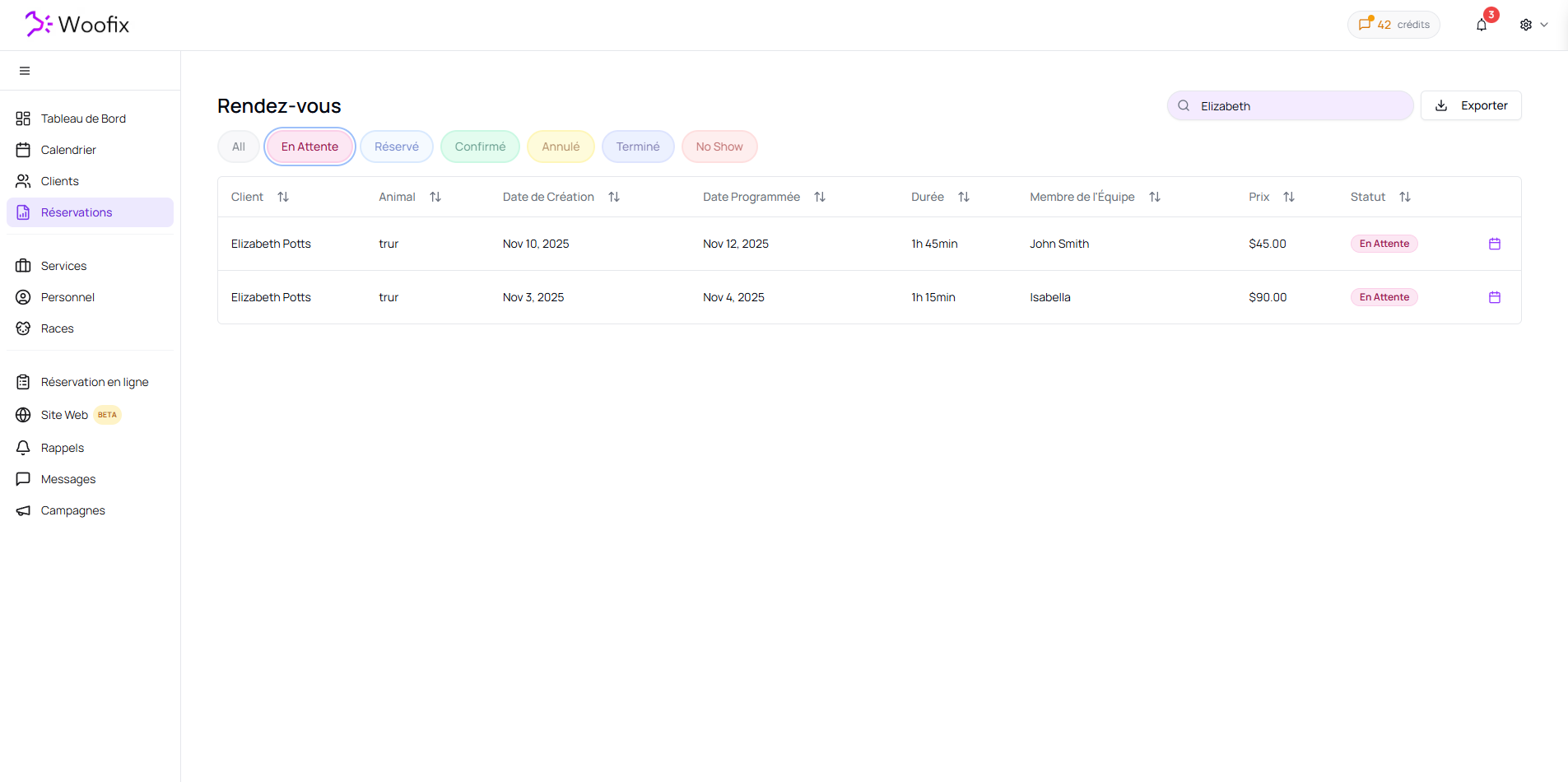
To quickly find information among hundreds of appointments, use the sorting tools:
- Search Bar: Simply type the client's name or the pet's name to isolate their specific appointments.
- Quick Filters: Use the status tabs to see only what requires your immediate attention (e.g., new pending requests).
3. 🚦 Understanding Appointment Status
Status is the most important element for tracking a client's journey. Here is the meaning of each category:
| Status | Description |
| All | Displays all appointments, regardless of their status. |
| Pending | Appointments booked by clients online. They are waiting for you to either accept or decline them. |
| Booked | The appointment is on the calendar, but we are waiting for final confirmation from the client. |
| Confirmed | The appointment has been officially validated by the client. |
| Canceled | The appointment was canceled by either the client or the salon. |
| Completed | The service is finished, and the appointment is closed. |
| No Show | The client had a confirmed appointment but did not show up. |
4. 💡 Online Booking Management
The "Pending" status is your daily priority. When a client books via your online link, the appointment appears here. You must validate these requests so they move to "Booked" status and are officially locked into your schedule.
✔️ Summary for Efficient Management
- Check the "Pending" tab daily to ensure you don't miss any online requests.
- Use the search bar to find a specific pet's history in seconds.
- Use the pop-up window to quickly navigate to the client's profile or to modify the appointment within the calendar.